Introduction to PC Building
Building a personal computer (PC) is an engaging and fulfilling endeavor that allows users to tailor their systems to specific needs and preferences. Unlike pre-built options, which often come with crafted specifications, custom PC builds offer the advantage of flexibility and personalization. Users can select individual components, ensuring optimal performance for gaming, professional tasks, or everyday use. This level of customization can lead to superior performance at a potentially reduced cost, making PC building a particularly attractive option for tech enthusiasts.
However, alongside these benefits lies the complexity of constructing a PC. Novice builders can face numerous challenges that may lead to common mistakes. From selecting incompatible components to improper wiring and setup processes, the potential for error is significant for those unfamiliar with the intricacies of computer hardware. It is vital for novices to have a comprehensive understanding of not only the components involved but also how each piece fits together to form a cohesive functioning unit.

When embarking on the journey of building a PC, it is crucial to prioritize attention to detail. Each hardware component, from the motherboard to the power supply unit, plays an integral role in the overall functionality of the system. For instance, choosing a graphics card that does not align with the motherboard’s specifications can lead to system failures or subpar performance, underlining the importance of research and compatibility checks.
Furthermore, the process of assembling the PC itself requires careful handling and knowledge of electrical safety to prevent damage to components or personal injury. With the right information and resources, aspiring builders can mitigate risks and enhance their experience, leading to a successful PC build.
Mistake #1: Insufficient Planning and Research
One of the most prevalent mistakes made by first-time PC builders is insufficient planning and research. Many individuals are eager to jump into building their own PCs, often overlooking the crucial step of thoroughly understanding the components required for their build. Proper planning begins with a clear idea of the intended use of the PC, whether it serves gaming, graphic design, or general productivity purposes. This understanding informs the selection of hardware components that will effectively meet user needs.
Before selecting parts, it is essential to conduct in-depth research into the different components available on the market. Familiarize yourself with hardware specifications, performance benchmarks, and user reviews. Additionally, understanding compatibility issues is critical. For instance, not all motherboards support every CPU or RAM type, making compatibility checks a vital part of your planning process. Utilizing online resources like PCPartPicker can greatly assist in ensuring all selected components work seamlessly together.
Creating a comprehensive build list is also an effective practice. Start by listing the desired components, including the CPU, GPU, motherboard, RAM, storage, and power supply. In doing so, it allows builders to visualize the complete system and make necessary adjustments according to budget constraints or performance requirements. Moreover, investigating potential upgrades for future-proofing your build can save time and resources down the line. In summary, taking the time to properly plan and research before starting a PC build can prevent costly mistakes and lead to a more satisfying overall experience.

- [270° Panoramic Dual Chamber Design]FOIFKIN F300 PC case features a sleek and modern design consisting of 270° panoramic…
- 【High Performance Cooling】The F300 comes with 4 pre-installed non-LED fans, and the glass side panels are hinged for qui…
- 【Ultra Large Capacity】 The chassis space is configured for each component and will be fully compatible with your new PC …
Mistake #2: Overlooking Compatibility Issues
When embarking on the journey of building a personal computer, one of the most critical factors to consider is the compatibility of the components selected. Overlooking compatibility issues can lead to significant setbacks, including system instability or even failure to boot entirely. A prime example of this is the motherboard socket type. Each CPU is designed to fit a specific socket on the motherboard; thus, using a processor that does not match the socket can render the build unworkable.
Additionally, power supply requirements must be assessed thoroughly. Each component demands a certain wattage, and exceeding or under-supporting this requirement can lead to hardware malfunction. It is advisable to calculate the total power needs of all components and select a power supply unit (PSU) that not only meets this requirement but also offers a margin for future upgrades or additional hardware.
RAM compatibility is another area where builders often stumble. Not all motherboards support every RAM type. Checking the motherboard specifications for supported RAM speeds and types—such as DDR4 or DDR5—is crucial. This consideration extends to the amount of RAM the motherboard can handle, which can differ significantly between models.
Fortunately, several tools and websites exist to aid builders in checking these compatibility factors. Platforms like PCPartPicker allow users to build a virtual PC to verify that all components function well together. These resources provide a solid foundation to ensure that errors related to compatibility are mitigated, thus enhancing the chances of a successful and efficient build. Properly addressing these issues not only streamlines the building process but ultimately results in a more reliable and high-performance computer.
Mistake #3: Incorrect Handling of Components
When building a personal computer, one of the most critical aspects to consider is the handling of various components. Many first-time builders inadvertently cause damage by mishandling sensitive parts. The delicate nature of components such as the CPU, GPU, and RAM demands careful attention to ensure they are installed correctly and without injury.
One best practice is to utilize anti-static precautions. Building up a static charge can lead to electrostatic discharge (ESD), which may damage the circuitry within components. To combat this, it is recommended to work on a non-static surface, like a wooden table, and to wear an anti-static wrist strap connected to a grounded surface. Additionally, periodically touching a metal object can help discharge any static build-up on your body.
Moreover, when handling components, it is vital to avoid applying excessive force. Each component has its own specific fitting mechanism. For example, when installing a CPU, ensure that it is properly aligned with the socket and gently lowered without forceful pressure. A misaligned CPU can bend the pins or damage the socket, rendering it unusable. Similarly, when inserting RAM modules or graphics cards, it is crucial to ensure they are fully seated in their respective slots, which typically involves hearing a click sound as they lock into place.
Furthermore, keep in mind to not handle components by their pins or circuits; instead, grasp them by the edges. This practice minimizes the risk of accidentally damaging sensitive areas. Proper handling techniques not only enhance the assembly experience but also significantly reduce the overall risk of component failure. By adopting these best practices, builders can create a reliable and efficient PC while avoiding common physical assembly mistakes.
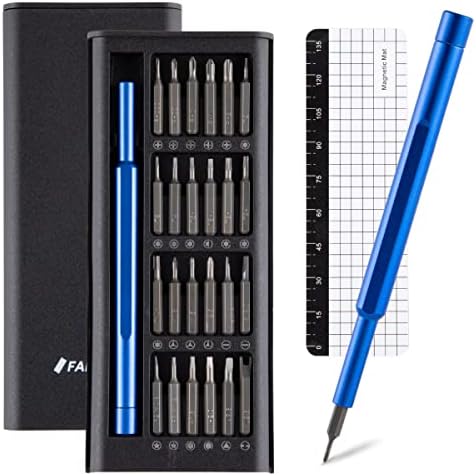
- 【Widespread application】Whether you’re fixing your iPhone, iPad, MacBook, computer, laptop, tablet, PC, smartphone, watc…
- 【Efficient magnetic design】1. The magnetic screwdrivers improve the handling and stability of screws, making it easier t…
- 【Ergonomic design】The screwdriver handle is constructed from premium-grade aluminum alloy, which offers a strong and lig…
Mistake #4: Neglecting Cooling and Airflow Considerations
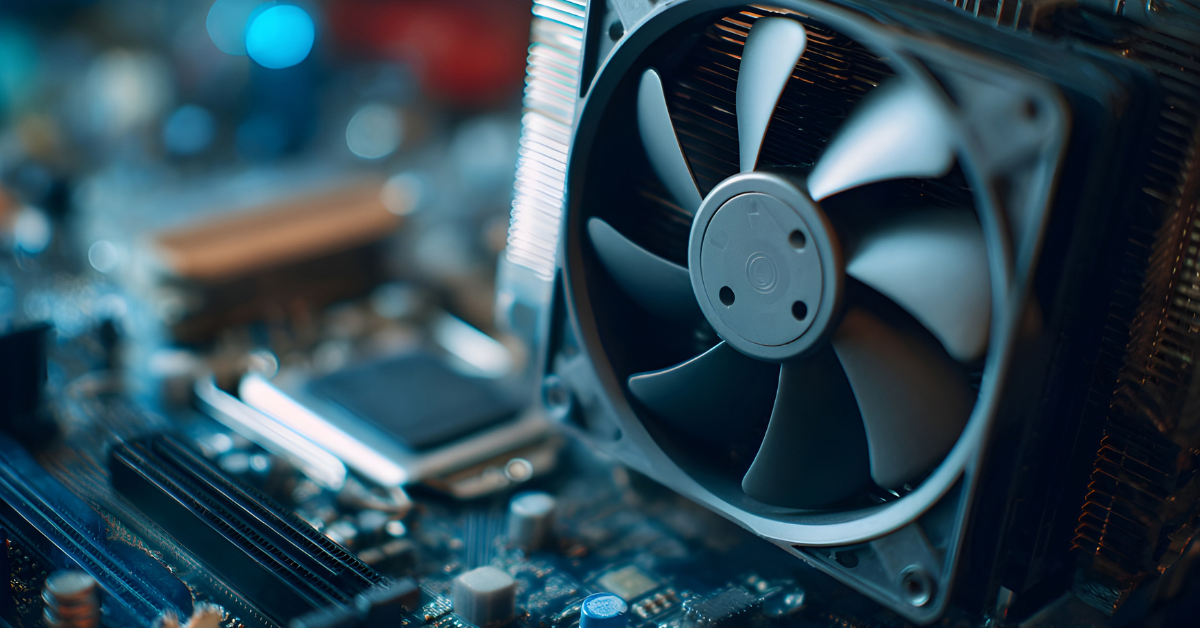
When assembling a personal computer, many builders underestimate the importance of cooling and airflow, which are critical for maintaining optimal performance and ensuring longevity. A common mistake is underestimating the number of fans required for adequate cooling. Insufficient fan deployment can lead to overheating, causing components to throttle performance or, in severe cases, sustain irreversible damage.
Moreover, the placement of these fans plays a pivotal role in the overall airflow design. An improperly configured cooling system can lead to hot air getting trapped inside the case, providing an environment that is counterproductive to performance. It is essential to strategically position intake and exhaust fans to create a balanced flow of air. Typically, the best practice is to have more intake than exhaust fans, which helps generate positive air pressure, reducing dust accumulation inside the case.
Another prevalent error in cooling management is the incorrect application of thermal paste on the CPU and GPU. This compound is critical for thermal transfer between the component and the cooler, and improper application can lead to poor thermal conductivity. Applying too much thermal paste can create mess and inefficiency, whereas too little might not provide sufficient coverage. It is advisable to use a pea-sized amount of thermal paste and spread it evenly for an optimal layer.
To avoid neglecting cooling and airflow considerations, ensure to select high-quality fans that meet the needs of your build and maintain proper configuration throughout. Regularly monitoring temperatures with software tools can help assess the effectiveness of your cooling system and allow for timely adjustments as needed. Good airflow and efficient cooling are indispensable for a well-functioning PC, making it crucial to address these elements thoroughly during the build process.
Mistake #5: Ignoring Cable Management
Effective cable management is a crucial aspect of building a PC that often goes overlooked. Failure to organize the abundance of wires can lead to obstructed airflow, which may cause overheating, and can complicate troubleshooting if issues arise later. Therefore, maintaining a tidy setup not only enhances the aesthetics of your build but also contributes to its longevity and performance.
One of the primary pointers in ensuring effective cable management is to route cables strategically. Identify pathways along the edges or behind panels of your case to conceal cables effectively. This practice not only presents a cleaner look but also ensures that components remain accessible when necessary. Additionally, employing zip ties can be a practical solution, allowing you to bundle and secure cables in manageable groups. Consider using Velcro straps instead of traditional zip ties, as they provide a reusable solution that allows for more adjustments in the future.
Moreover, opting for a modular power supply can significantly simplify cable management. Modular power supplies permit you to connect only the cables required for your build, minimizing excess wiring within the case. This not only enhances airflow but also makes it easier to navigate inside your computer for upgrades or troubleshooting. By focusing on these elements, you can mitigate the pitfalls of a cluttered environment, diminishing potential performance detriments associated with poor airflow and accessibility.
In conclusion, prioritizing cable management during your PC build will lead to enhanced cooling, easier maintenance, and a cleaner overall appearance. Whether through systematic routing, using zip ties, or investing in modular power supplies, taking the time to organize your cables will yield long-term benefits for your system’s performance and user experience.
How to Troubleshoot Common Issues After Building
After completing a PC build, it is not uncommon for builders to encounter issues. These problems can range from the system not powering on to certain components failing to be recognized by the motherboard. Understanding how to troubleshoot these common issues can significantly enhance your PC building experience.
One prevalent issue is when the system fails to power on. This problem may often be attributed to improper connections. Ensure that the power supply unit (PSU) is securely connected to both the motherboard and components, particularly the CPU and graphics card. Additionally, checking for loose connections or a tripped power switch can resolve the issue. If the power supply is functioning but still no response occurs, testing with another PSU can help diagnose faulty hardware.
Another frequent concern is when the operating system does not detect specific components, such as RAM or hard drives. In this case, begin by checking if all connections are secure and fully seated in their respective slots. Sometimes, a component may need to be re-installed or reseated to ensure it is functioning correctly. Consulting the motherboard’s manual can clarify any specific installation quirks regarding component compatibility.
It is vital to maintain a calm and methodical approach when troubleshooting. Take notes of steps taken, which can help in consulting tech forums or support channels if needed. Guidelines from manufacturer websites or community forums can provide additional assistance and clarify compatibility concerns. Avoid rushing the diagnosis, as many issues may stem from simple oversights. Keeping a checklist of potential problem areas can streamline troubleshooting.
By equipping yourself with troubleshooting skills and resources, resolving post-build issues can become a systematic routine rather than a daunting challenge. Familiarize yourself with your components and remain patient; your efforts can result in a smoothly functioning PC.
Conclusion: Embracing the PC Building Journey
The venture of building your own PC is a multifaceted experience, blending technical knowledge with personal satisfaction. As we conclude this discussion on the common mistakes encountered during PC assembly, it is imperative to recognize that even seasoned builders can overlook critical aspects. The journey is not merely about the destination of having a completed system but rather the lessons learned along the way.
Each misstep serves as a stepping stone to greater understanding, whether it involves compatibility issues, improper installation techniques, or overlooking cooling requirements. Embracing these challenges in the PC building process fosters not only technical proficiency but also resilience and problem-solving skills. With each project, builders refine their approaches and develop a more profound appreciation for the art and science of computing.
For those who are just starting or who may have faced setbacks, it is essential to note that these experiences are universally shared among the community of tech enthusiasts. Countless resources are available, ranging from online forums and tutorial videos to dedicated groups on social media platforms. Engaging with these communities not only provides valuable insights but also encourages builders to share their experiences and learn from one another.
Ultimately, the satisfaction derived from successfully overcoming obstacles and seeing a self-built computer come to life is unmatched. As mistakes are an integral part of this educational journey, the key lies in welcoming them, learning from them, and moving forward with confidence. Remember, every expert was once a beginner, and every PC building experience, regardless of its difficulties, is a step closer to mastery.

- Nvidia GeForce RTX 5070 Ti (16GB GDDR6X RAM / HDMI 2.1 / DisplayPort 1.4)
- Intel i9 14900KF 24-Core 6.0GHz Turbo CPU (32 Threads / 36MB SmartCache / 125W TDP)
- 1TB NVMe M.2 SSD (For Rapid Start Up, File Saving and Faster Desktop Performance)
Additional Resources and Tools for PC Builders
Embarking on the journey of building a personal computer can be thrilling but daunting, especially for those who are new to the process. Fortunately, there is a wealth of online resources available to assist aspiring builders in navigating the complexities of PC assembly. One of the most reputable websites for this purpose is PCPartPicker. This platform allows users to compare prices on various components, check compatibility between parts, and even find user reviews to guide purchasing decisions.
Another invaluable resource is the community forums such as Tom’s Hardware and Reddit, specifically the r/buildapc subreddit. These platforms provide a space for users to seek advice from experienced builders, share their builds, and ask specific questions about parts compatibility, cooling solutions, and performance benchmarks. Engaging with these communities can significantly enhance the decision-making process before diving into the actual building experience.
Moreover, many websites, like Newegg and Micro Center, offer comprehensive build guides and detailed tutorials, which can help first-time builders visualize the steps involved in assembling their PC. YouTube serves as an excellent source for step-by-step video guides that cover everything from component installation to BIOS configuration. Channels dedicated to PC building often provide insights into common mistakes to avoid and tips for optimizing performance.
In addition to these resources, utilizing diagnostic software post-build, such as HWMonitor or CPUID, can help monitor system temperatures and performance metrics ensuring the new build operates seamlessly. Investing time into researching and utilizing these resources not only simplifies the building process but also enhances the overall experience, making it more enjoyable for beginners and experienced builders alike.