
Understanding Power Supply Units (PSUs)
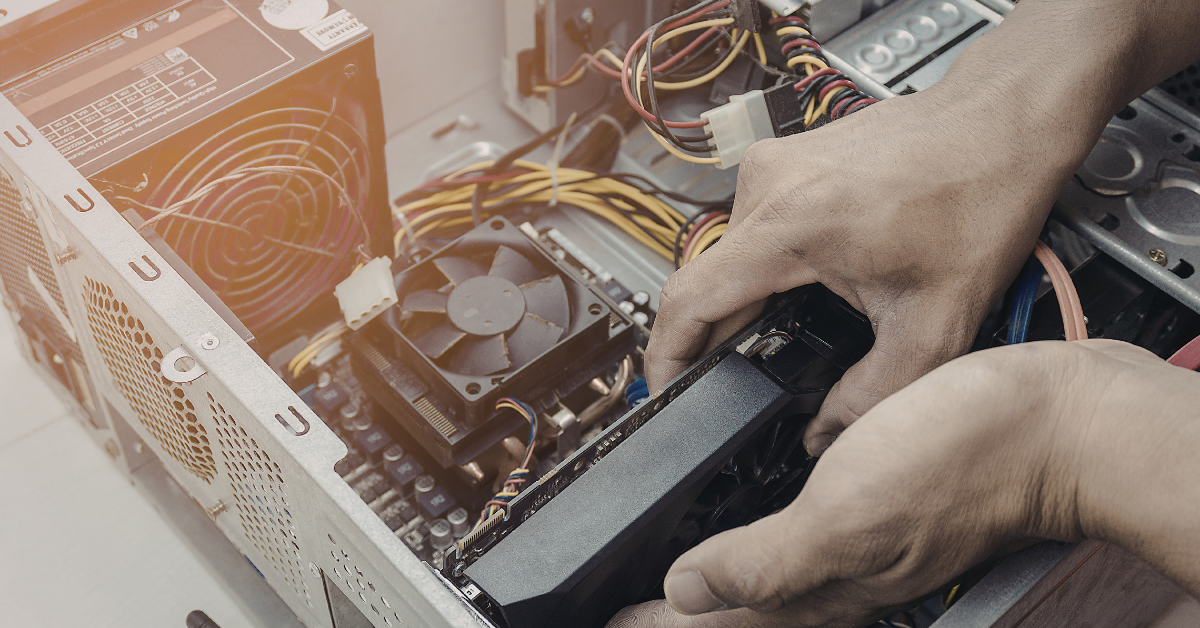
Power Supply Units (PSUs) play a critical role in the functioning of any computer system, acting as the primary source of power that feeds all components, notably the Graphics Processing Unit (GPU). The PSU’s main function is to convert the alternating current (AC) from the wall outlet into the direct current (DC) needed by computer parts. It delivers stable and reliable power, ensuring all components operate efficiently without disruption or risk of damage.
Each PSU consists of several essential components, including transformers, capacitors, and fans. Transformers adjust voltage levels to suit the needs of various components, while capacitors help in smoothing out the electrical flow. The efficiency of these components significantly affects the PSU’s output and operational lifespan, which is why selecting a power supply with high-quality internal parts is paramount.

- Fully Modular: Reliable and efficient low-noise power supply with fully modular cabling, so you only have to connect the…
- Cybenetics Gold-Certified: Rated for up to 91% efficiency, resulting in lower power consumption, less noise, and cooler …
- ATX 3.1 Compliant: Compliant with the ATX 3.1 power standard from Intel, supporting PCIe 5.1 and resisting transient pow…
When choosing a PSU, wattage is a primary consideration. This measurement indicates the total amount of power the unit can deliver. It is crucial to select a PSU with adequate wattage to meet or exceed the demand of your GPU and other hardware. Underpowered units can lead to system instability, crashing, and even hardware failure, while oversized PSUs can be wasteful and unnecessarily expensive.
Efficiency ratings also play a significant role in the selection of a PSU. Generally, a PSU is rated using standards like 80 PLUS, with higher ratings indicating better energy efficiency. For instance, an 80 PLUS Gold certified PSU can operate at 87% efficiency at 20% and 100% of load, minimising wasted energy and reducing electricity costs. This efficiency not only saves money but also reduces the generated heat, contributing to overall system longevity.
In summary, selecting the right power supply is crucial for the durability and performance of your GPU and overall system. Understanding the functions of a PSU, its components, and key specifications like wattage and efficiency ratings can guide users towards making an informed choice.
Determining Power Requirements for Your GPU
Choosing the correct power supply unit (PSU) for your graphics processing unit (GPU) is crucial for the overall performance and stability of your system. The first step involves assessing the specific power requirements of your GPU. This assessment can be made by consulting the manufacturer’s specifications, which typically indicate the recommended wattage needed for optimal operation. Most reputable manufacturers provide a detailed breakdown of the power consumption of their GPUs under various loads, helping consumers understand the requirements necessary for a robust and effective build.
In addition to the recommended wattage, it is vital to consider the role of power connectors. GPUs require specific types of connectors, such as 6-pin, 8-pin, or even multiple connectors for high-end models. Knowing the connector type helps ensure compatibility between the PSU and the GPU. Moreover, each type of connector has varying power capacities; therefore, verifying that your chosen PSU includes adequate connectors is essential for seamless integration.
Another critical aspect to understanding power requirements is considering the power draw during peak loads. GPUs, especially those designed for gaming and intensive tasks, can draw a significant amount of power during high-usage scenarios. Evaluating how this power draw relates to the overall system requirements guarantees that the PSU can meet the demands of both the GPU and other components like the CPU and drives. As a general rule, it is wise to have a PSU that can deliver at least 20% more power than what the system components will typically draw, providing a buffer for any unexpected peaks.
Evaluating Total System Power Consumption
When selecting the appropriate power supply unit (PSU) for your graphics processing unit (GPU), it is imperative to evaluate the overall power consumption of your entire system. A common misconception is that only the GPU’s power requirements need to be considered; however, all components play a vital role in determining the total power draw.
To accurately assess the total power consumption, begin by identifying the wattage requirements for each individual component in your system. This includes the central processing unit (CPU), random access memory (RAM), storage devices like hard drives or solid-state drives, cooling fans, and any additional peripherals. Most manufacturers provide a standard wattage recommendation for each part, which can often be found in their specifications. If this information is not readily available, online databases and tools can help estimate power usage based on the components used.
Once you have compiled a list of the wattages for each component, sum them up to calculate the overall power requirement of the system. It is then wise to add a buffer, typically around 20% to 30%, to this total. This helps accommodate any potential power spikes and ensures that the PSU operates efficiently without being pushed to its limits. Additionally, a higher-capacity PSU can enhance component longevity by minimising stress on the power supply.
Keep in mind that efficiency ratings of PSUs vary; it is beneficial to select a model that operates at 80 PLUS certification levels or higher, as these are more energy-efficient. Integrating this knowledge when calculating your total system power consumption will allow you to select a PSU that not only meets the GPU’s requirements but also supports the entire rig effectively.
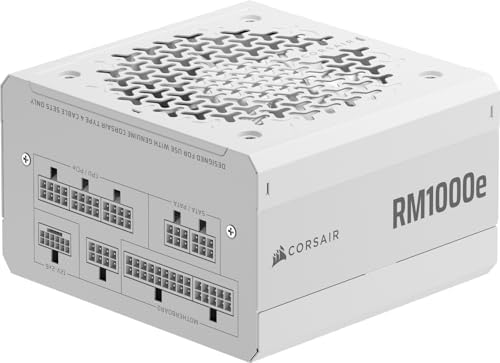
- Fully Modular PSU: Reliable and efficient, low-noise power supply with fully modular cabling, so you only have to connec…
- Intel ATX 3.1 Certified: Compliant with the ATX 3.1 power standard, supporting PCIe 5.1 platform withstands 2x transient…
- Keeps Quiet: A 120mm rifle bearing fan with a specially calculated fan curve keeps fan noise down, even when operating a…
Choosing the Right Wattage Rating
When selecting a power supply unit (PSU) for your graphics processing unit (GPU), determining the appropriate wattage rating is crucial for both performance and longevity. The wattage rating reflects the maximum power output of the PSU, and it is essential to choose a unit that meets or exceeds the minimum requirements of your GPU. However, opting for a PSU that only meets these minimum standards can lead to instability, especially under load or during peak usage times.
One primary consideration is to account for the total power consumption of all the components in your system, including the CPU, motherboard, RAM, storage devices, and any peripherals. Tools such as online wattage calculators can assist in estimating the overall power requirements. It is advisable to add a buffer to this calculation, typically around 20% to 30%, to ensure that the PSU operates well within its capacity, providing headroom for future upgrades or component additions. This power overhead is critical for achieving stable performance and preventing potential damage from power supply overload.
Another factor to consider is the efficiency rating of the PSU, as indicated by 80 PLUS certifications, which can impact the overall wattage required. A power supply with a higher efficiency rating can deliver the same performance at a lower wattage, allowing for less heat generation and reduced energy costs over time. As a rule of thumb, if your system is particularly demanding—such as in gaming or graphic design—investing in a PSU with a rated wattage significantly above your calculated needs can offer longer-term stability and reliability.
Importance of Efficiency Ratings (80 Plus Certification)
When selecting a power supply unit (PSU) for your GPU, considering the efficiency rating is crucial. The 80 Plus certification is a widely recognised standard that measures the efficiency of power supplies at various load levels. A PSU that is 80 Plus certified ensures that it operates at a minimum efficiency of 80% at 20% and 100% loads, with even higher benchmarks for Bronze, Silver, Gold, Platinum, and Titanium ratings.
Higher efficiency ratings translate into less energy waste. For instance, a PSU with a gold certification processes at least 87% efficiency at 20% and 100% loads, while a platinum unit is rated at 90% and above. This efficiency has a direct impact on electricity costs; the more efficient a PSU, the lower your power bill will be over time. Users will find that even though high-efficiency PSUs might have a higher upfront cost, the reduced energy costs can lead to significant savings in the long run.
Moreover, the implications of efficiency extend beyond just cost savings. A more efficient PSU generates less heat, which contributes to a cooler operating environment for the entire system. This is particularly important for enthusiasts who push their components to the limit through overclocking and demanding applications. A cooler system enhances reliability and longevity of not only the PSU but also the GPU and other connected components.
In conclusion, selecting a PSU with high efficiency ratings, such as those with 80 Plus certification, is vital for optimal performance and cost-effectiveness. Assessing the efficiency of a power supply ensures that users are investing in a reliable unit that can support their GPU effectively while minimising energy waste and expenses.
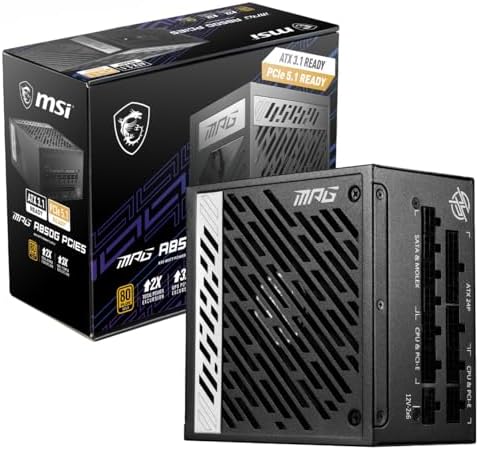
- 80 PLUS GOLD CERTIFIED – An efficient power supply reduces system energy use & thermal loading; An 80 PLUS Gold rating (…
- ATX 3.0 FULLY MODULAR – With ATX 3.0, the PSU can handle up to 2x total & 3x GPU power excursions, supporting even the m…
- PCIe 5.0 GPU SUPPORT – With the native 16-pin (12VHPWR) PCIe connector, the PSU can feed up to 600W of power to a PCIe 5…
Modular vs. Non-Modular PSUs: Pros and Cons
When selecting a power supply unit (PSU) for your GPU, one of the critical decisions involves understanding the differences between modular, semi-modular, and non-modular configurations. Each category has distinct advantages and disadvantages, particularly regarding cable management, installation ease, and future upgrades.
Modular PSUs allow users to connect only the cables they need for their components. This feature simplifies cable management significantly, promoting airflow within the case and enhancing overall aesthetics. With fewer unused cables cluttering the case, building and maintaining the system can become notably easier. On the downside, modular power supplies tend to be pricier than their non-modular counterparts. Additionally, if a user loses or damages a cable, it may be more difficult to replace a specific cable without purchasing an entire new PSU.
Semi-modular PSUs strike a balance between the fully modular and non-modular options. They typically come with essential cables pre-attached, such as the motherboard and CPU cables, while still allowing users to connect additional components as needed. This setup can be particularly beneficial for users who prefer some level of simplicity without sacrificing flexibility. However, they might not yield the same tidy setup as fully modular options, as some cables remain permanently attached.
Non-modular PSUs come with all cables permanently attached, limiting options for customisation. While this model can be more budget-friendly, it often results in excess cables inside the case, which can impede airflow and create clutter. Installation complexity may also increase, as users must navigate through all cables regardless of their intended use. The future flexibility of non-modular units is limited, making upgrades or changes more cumbersome.
When choosing the right PSU for your GPU, carefully consider the type of installation and cable management that suits your build. This decision will impact both immediate convenience and long-term usability of your system.
Brand Reputation and Warranty Considerations
When selecting a power supply unit (PSU) for your GPU, it is essential to take into account the reputation of the manufacturer. A brand known for producing high-quality and reliable PSUs often reflects their commitment to superior engineering and consistent performance. These well-established companies usually invest significant resources into research and development, ensuring that their products not only meet but exceed industry standards. This investment leads to improved safety features, better efficiency, and enhanced overall durability. Opting for a reputable brand can minimise the risk of potential failures that could jeopardise your hardware.
Brand reputation can serve as a critical indicator for consumers, especially when considering customer reviews and independent testing results. Products from trusted manufacturers typically have a wealth of information available from both expert reviews and user experiences. Such insights can guide you in making an informed decision. It is wise to look for brands that have a long-standing presence in the market, as they have demonstrated the capability to adapt to changes and remain relevant in a competitive industry.
Warranty length also plays a significant role in your selection process. A longer warranty period is often indicative of a manufacturer’s confidence in their product’s longevity and reliability. This assurance can provide peace of mind, knowing that if any issues arise, you will be covered. Many reputable manufacturers offer warranties that range from three to ten years, reflecting their belief in the PSU’s quality. Therefore, when comparing various options for your GPU’s power supply, it is prudent to examine both the brand’s reputation and the warranty details to ensure you are making a sound investment.

- ATX 3.1 and PCIe 5.1 ready
- 80 PLUS Platinum certified
- 100% Japanese capacitors
Safety Features and Protections
When selecting a power supply unit (PSU) for your graphics processing unit (GPU), it is crucial to consider the extensive range of safety features that modern PSUs offer. These components are designed with advanced protection mechanisms to safeguard not only the PSU itself but also the other vital components within your computer system.
One of the primary safety features to look for is over-voltage protection (OVP). This mechanism automatically shuts down the PSU if the output voltage exceeds safe levels, preventing potential damage to the GPU and other hardware caused by excessive voltage. Similarly, under-voltage protection (UVP) is critical as it ensures that the PSU will cease operation if the voltage drops below a minimum threshold. This feature helps maintain the stability of the system by preventing erratic performance or failures.
Another essential feature is short circuit protection (SCP), which acts as a fail-safe in the event that a short circuit occurs within the PSU or connected components. By quickly detecting this fault, SCP can mitigate the risk of fire or irreparable damage to the system. In addition, overheating safeguards monitor the PSU’s temperature. If the unit overheats due to inadequate airflow or excessive loads, the system will either reduce output power or shut down entirely, protecting both the PSU and the GPU.
Incorporating these protective features enhances the reliability of the PSU, ensuring longevity and performance stability. When choosing a PSU, it is recommended to select models that offer comprehensive coverage of OVP, UVP, SCP, and overheating safeguards. By doing so, you can help create a safe and efficient environment for your GPU and other components.
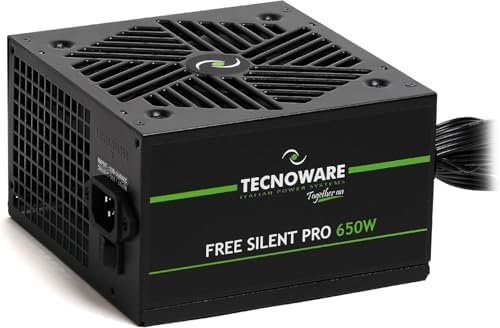
- ADVANCED POWER FOR PCs WITH GRAPHICS CARDS: Internal power supply for PCs, compatible with dedicated graphics cards, inc…
- OPTIMIZED CABLING FOR MAXIMUM COMPATIBILITY: Extra-long flat cables up to 80 cm, perfect for installation both at the to…
- COMPREHENSIVE CONNECTORS FOR EVERY NEED: Equipped with 1 20+4 pin connector, 1 12V 4+4 pin connector, 1 PCI-E 6+2 pin co…
Installation and Maintenance Tips for Your PSU
Installing a Power Supply Unit (PSU) requires careful consideration to ensure optimal performance and longevity. Begin the installation process by making sure that your case is compatible with the PSU form factor, commonly ATX or SFX. Next, align the mounting holes of the PSU with the corresponding holes in your case. Utilising the provided screws, firmly secure the PSU in place, ensuring it is properly orientated, as many units feature a fan that should face the right direction to promote airflow.
Effective cable management is also crucial during installation. Properly routing the power cables not only enhances visual appeal but also maximises airflow within the case. Start by grouping cables according to their destination; for instance, route the CPU power cable directly to the motherboard. Use cable ties or Velcro straps to bundle cables together, reducing clutter and facilitating easier airflow. Consider utilising the provided cable routing holes in your case to keep cables hidden, further promoting efficient ventilation.
Once installed, ongoing maintenance will safeguard the performance and extend the lifespan of your PSU. Regularly check for dust accumulation, which can hinder airflow and lead to overheating. If dust is present, use compressed air to carefully clean the PSU’s exterior and fans while ensuring power is disconnected. Additionally, inspect cable connections periodically to ensure they remain secure. Avoid overloading the PSU by adhering to the recommended wattage for your GPU and other components; this will prevent potential overheating. Finally, keep an eye on system performance, as unusual noises or irregular activity may indicate a need for troubleshooting or replacement.